Table of contents
SUNLU PETG 2.0 barely strings, needs only small temperature and flow changes from Bambu's Generic PETG preset, and handles a much higher flow limit than the preset allows.
I tested two colors, Beige and Aqua Blue, and I ran both through four tests on my Bambu Lab P2S: temperature, flow ratio, max speed and ironing. I wrote down the settings that worked so you can copy them straight into Bambu Studio. The goal of this post is to give you a reference for this filament so you can make a better decision before you buy it.
Disclosure: SUNLU sent me these two rolls, plus two rolls of their PLA Galaxy, for free. They did not pay me, and they did not see this review before I published it. Some links in this post are affiliate links, so I may earn a small commission if you buy through them.
TLDR
- If you want a PETG that needs little tuning, it's worth it. A 1 kg roll was $12.99 on sale when I checked, down from $18.99.
- It prints well at 250 °C, 5 °C cooler than Bambu's Generic PETG default. Both colors, Aqua Blue and Beige, landed on the same temperature and flow ratio.
- It needs almost no flow change: 0.94, just 1% under Bambu's Generic PETG, which sets the flow ratio at 0.95.
- It handles a much higher max volumetric speed than the Generic Bambu PETG preset allows. As you'll see below, both colors printed well up to about 27 to 29 mm³/s on my speed tower, more than double the preset's 12.
- The shine fades slowly as you print faster, so speeding it up costs very little in looks.
- On my test tiles it ironed really well at 30% flow and 55 mm/s.
- The weak spot is bridging. It never looked great at any temperature I tried.
Pros and Cons
What I liked:
- It only needs small temperature and flow changes from Generic PETG: 5 °C cooler and 1% less flow.
- It strings very little
- It prints really fast. Both colors printed well up to about 27 to 29 mm³/s on my P2S.
- It irons really well
- Both colors landed on almost the same settings even though they came from different lots, so you shouldn't have to retune every roll you buy.
What to watch for:
- Bridging never looked great at any temperature (see the towers below)
- The temperature window is narrow. Small pointy details tear below 250 °C, and fine hairs show up from about 255 °C.
- Long straight walls get a diagonal scarring when you push it past about 28 mm³/s (pictures below)
My Bambu Studio Settings for SUNLU PETG 2.0
Start from Bambu's Generic PETG preset and change only these:
| Setting | Beige | Aqua Blue | Bambus Generic PETG default |
|---|---|---|---|
| Nozzle temperature | 250 °C | 250 °C | 255 °C |
| Flow ratio | 0.94 | 0.94 | 0.95 |
| Max volumetric speed | 27 mm³/s | 28 mm³/s | 12 mm³/s |
| Ironing flow | 30% | 30% | 10% |
| Ironing speed | 55 mm/s | 55 mm/s | 30 mm/s |
| Ironing line spacing | 0.15 mm | 0.15 mm | 0.15 mm |
| Bed (Textured PEI) | 70 °C | 70 °C | 70 °C |
Ironing lives in the process settings, not the filament preset, so turn it on per print. Temperature and flow ratio should carry over to other printers. Max volumetric speed depends a lot on the hotend, so use my numbers as a starting point on anything else. If any of these settings are new to you, my guide to the best slicer settings for beginners walks through the basics.
How I Tested It
I tested both rolls over about a week on my Bambu Lab P2S with a 0.4 mm hardened steel nozzle, a Textured PEI plate and Bambu Studio 2.8. Everything started from Bambu's 0.20mm Standard process and Generic PETG preset, so those defaults are what I'm comparing against.
Each test changed only what it needed, like the spiral top on the flow test, to avoid as many variables as possible. The results carried forward: the temperature from the tower went into the flow test, and both went into the speed and ironing tests. The speed test is Bambu's own single-wall tower, so it uses its own 0.32 mm layers. The filament went straight from the sealed bag into the AMS, with no drying.
What You Get
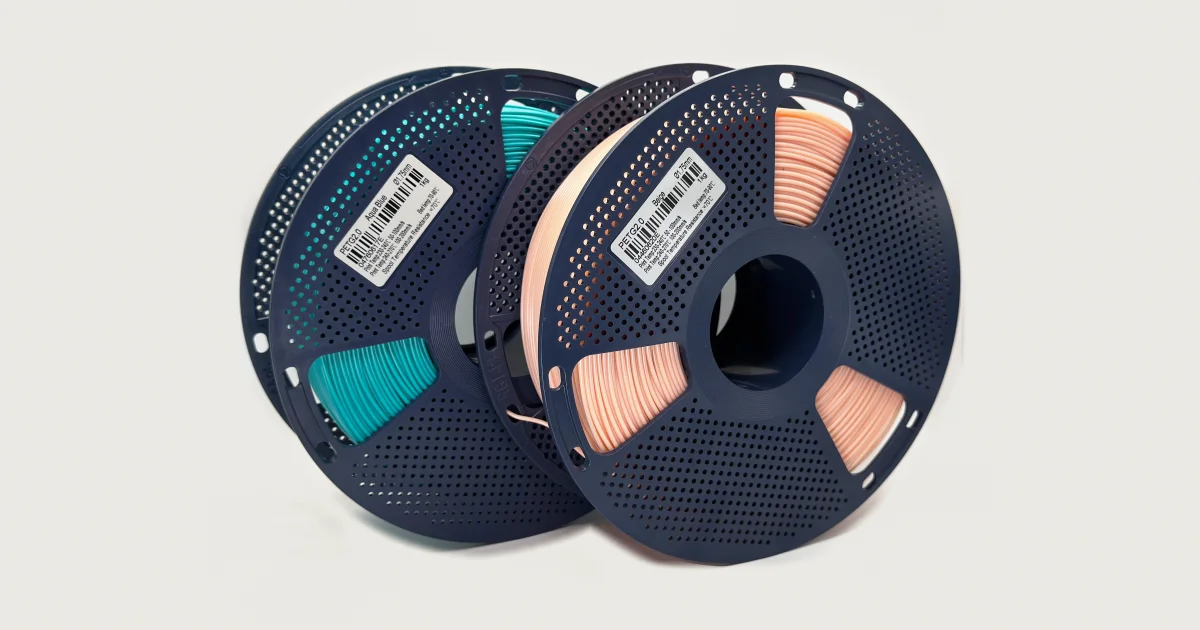
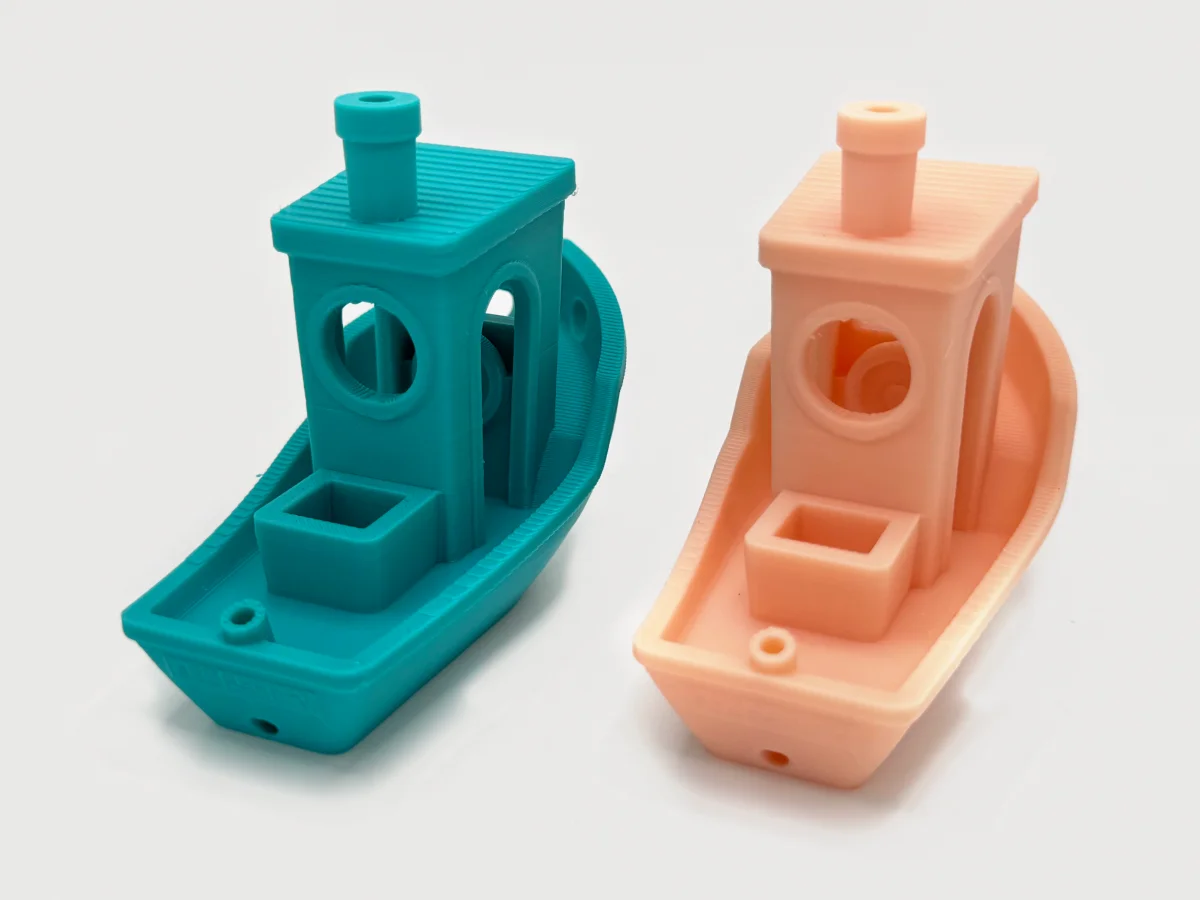
Both rolls came vacuum sealed on a dark blue plastic spool with a fill gauge molded into the side. Aqua Blue is a bright teal, and Beige is a soft peach color. I loaded them straight from the bag into the AMS on my P2S without drying them, and they fed fine for every test.
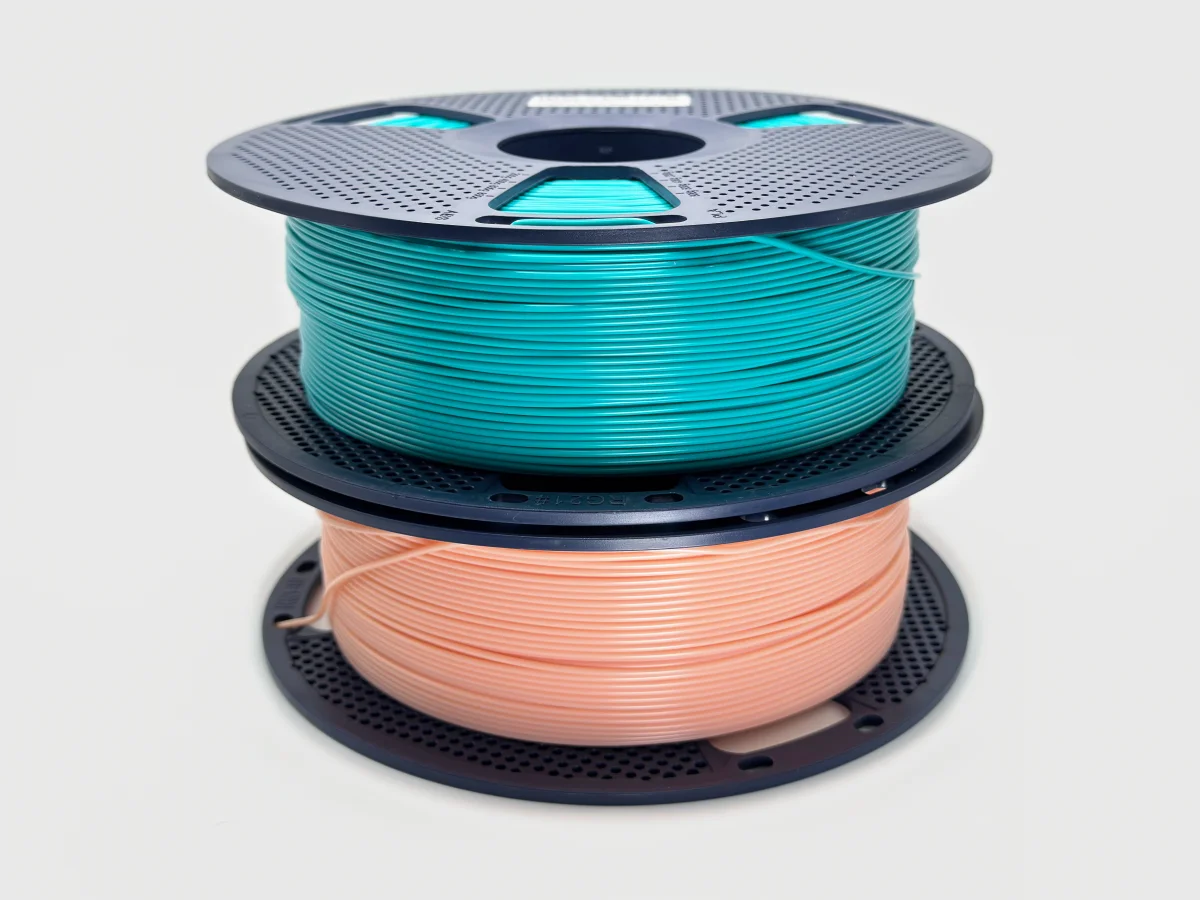
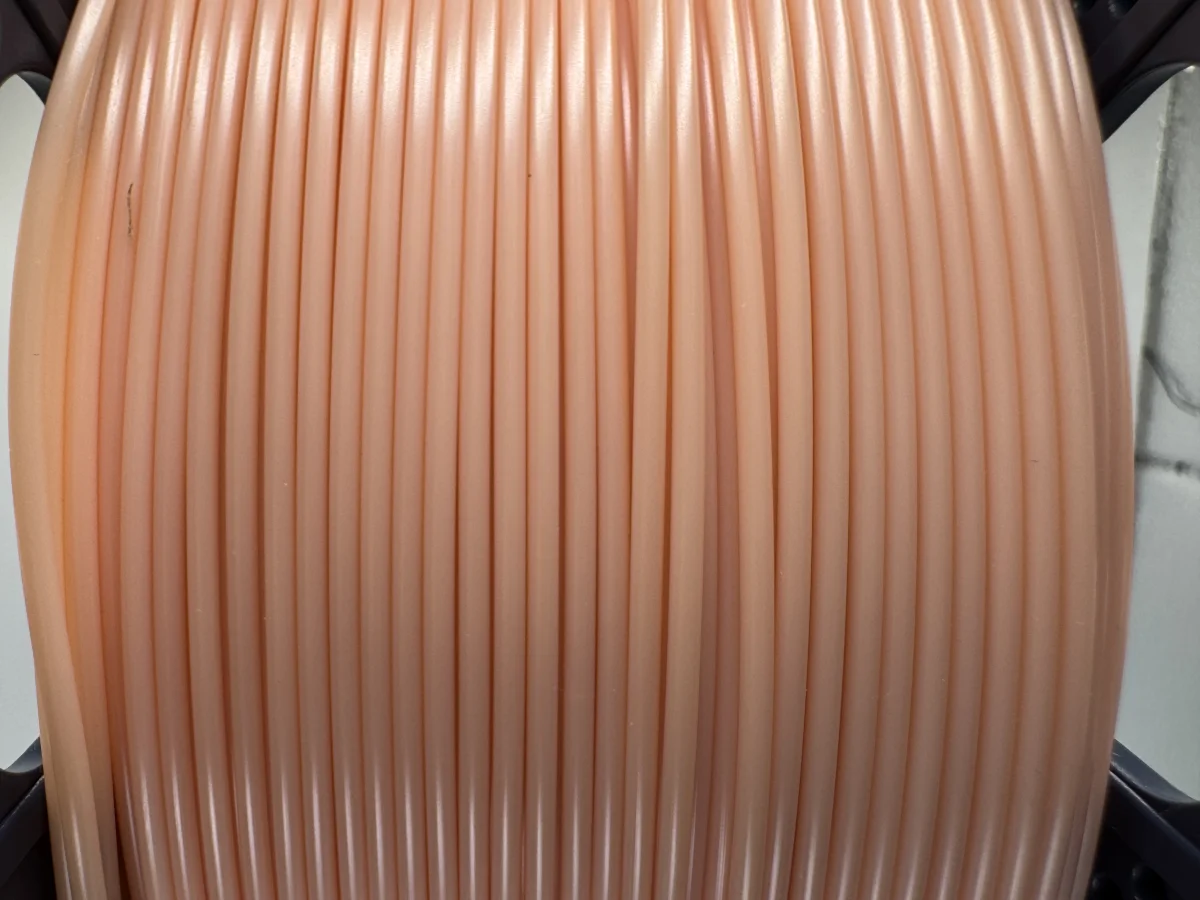
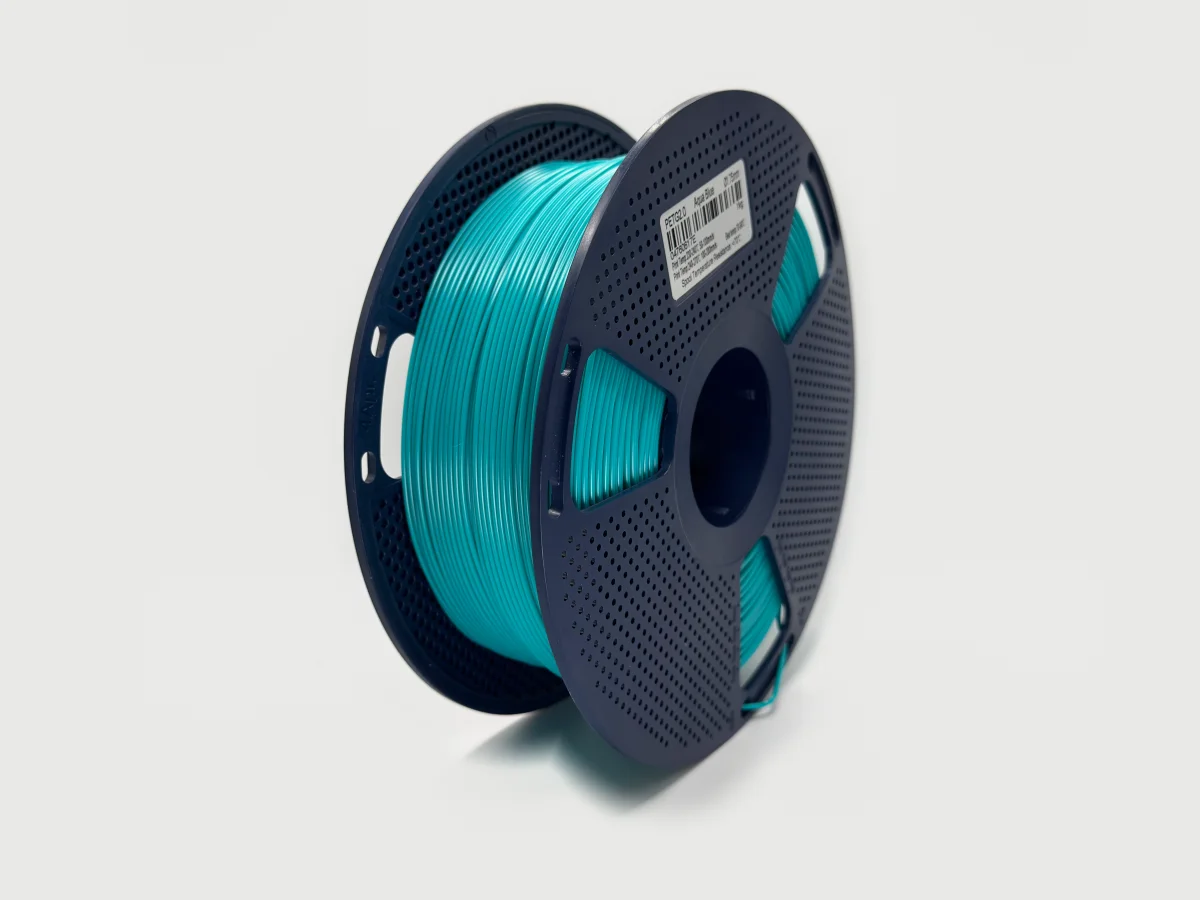
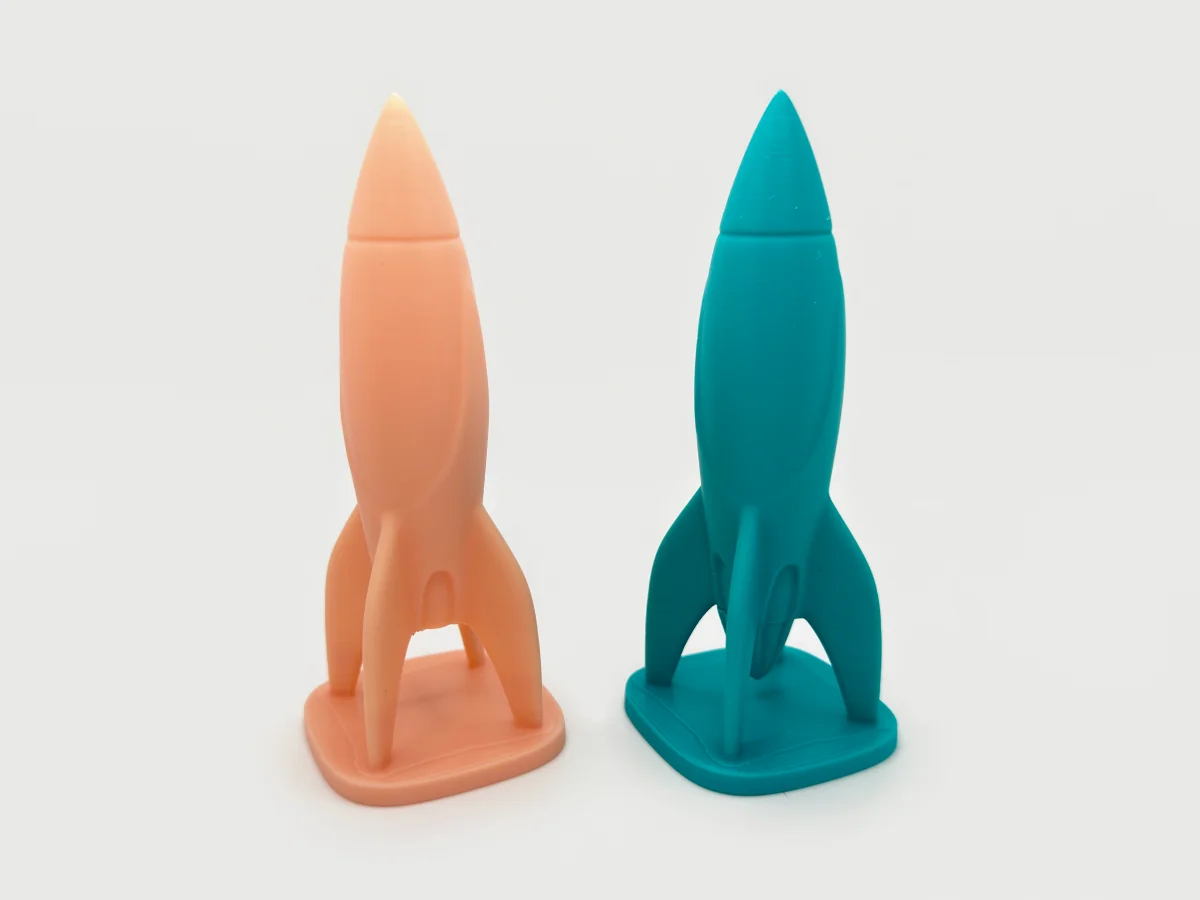
To see how it looks on real prints, I printed a 3DBenchy at 133% and the Retro Rocket by Mech3DPrinting in both colors on my P2S, with the settings above.
Temperature: 250 °C, a Little Cooler Than Stock
250 °C was the best temperature for both colors. It has the best overhangs, it's the coolest band where the cone tips come out pointed instead of torn, and it's one step from the best bridges. That is 5 °C under Bambu's Generic PETG default of 255 °C.
The label gives two ranges: 230 to 240 °C for 50 to 100 mm/s, and 240 to 270 °C for 100 to 200 mm/s. I printed a temperature tower across that whole temperature range, from 270 °C down to 230 °C in 5 °C steps. Bambu slows small layers down to cool them, so the tower's walls printed at about 42 to 51 mm/s. I designed my own tower for these reviews, which I have uploaded here if you'd like to use it yourself. Each band has a stringing window with two cones, a 30 mm bridge, a 45° and a 60° overhang, and a curved face to check the finish.
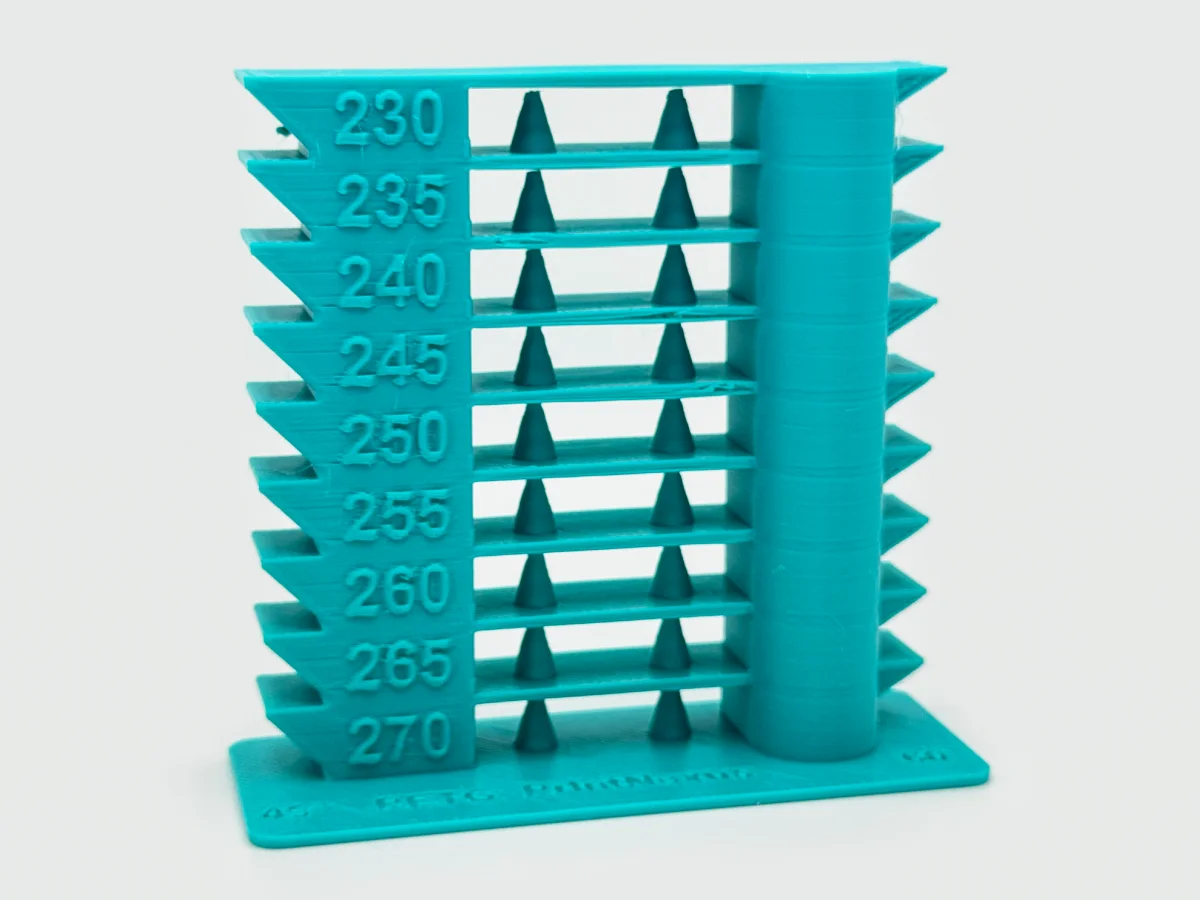
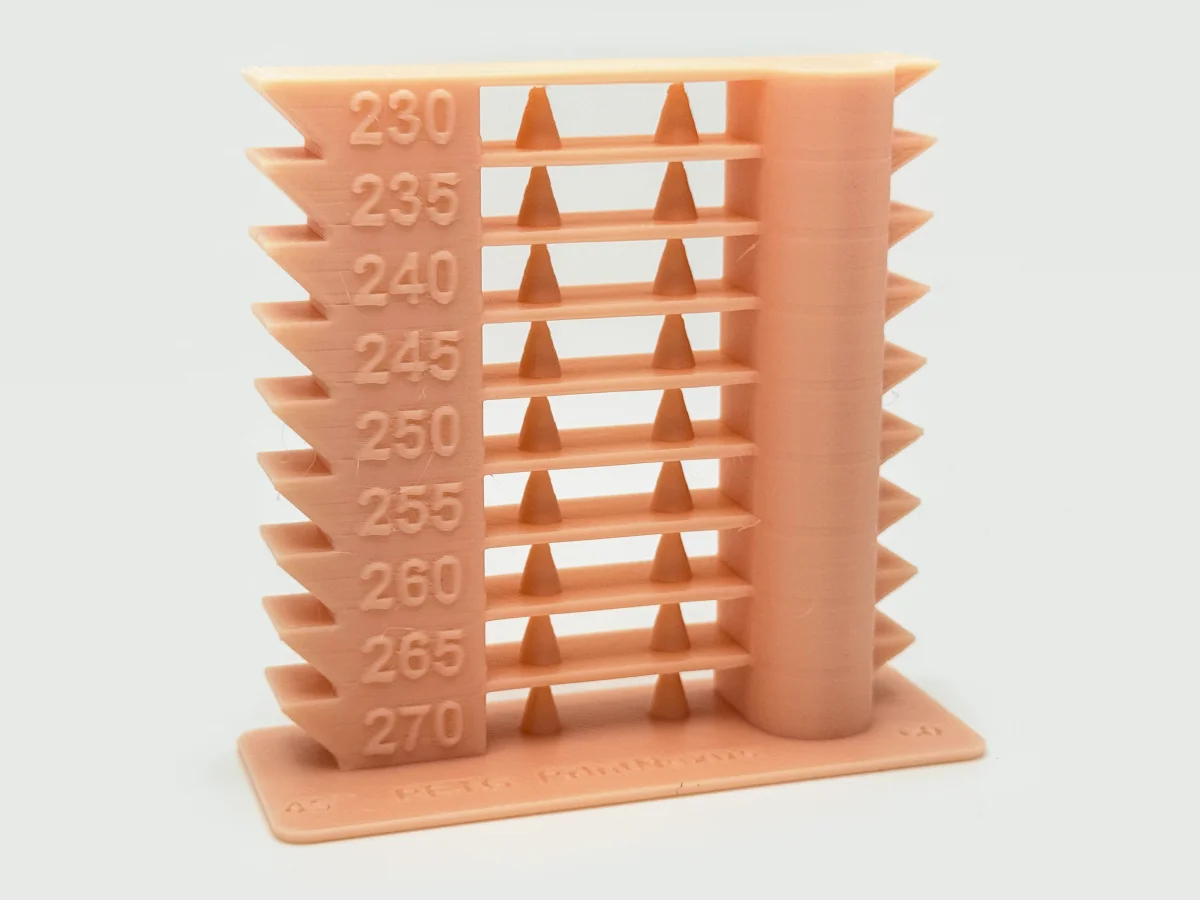
Stringing was never a real problem. I scored each band from 1 (webbing) to 5 (none), and both colors stayed at 4 or 5 the whole way, with at most a wisp or two. The bigger difference was in the cones and the bridges:
| Temperature | Cone tips | Stringing (Beige / Aqua) | Bridge front edge (Beige / Aqua) |
|---|---|---|---|
| 230 °C | Torn flat | 5 / 5 | 5 / 5 |
| 235 °C | Torn flat | 5 / 4 | 4 / 3 |
| 240 °C | Torn flat | 4 / 4 | 5 / 2 |
| 245 °C | Torn (slightly on Beige) | 5 / 4 | 5 / 3 |
| 250 °C | Pointed | 5 / 4 | 5 / 3 |
| 255 °C | Pointed | 4 / 4 | 5 / 5 |
| 260 °C | Pointed | 4 / 4 | 5 / 5 |
| 265 °C | Pointed | 5 / 4 | 5 / 5 |
| 270 °C | Pointed | 5 / 5 | 5 / 5 |
The bridge front edge scores come from photos, 5 meaning flat and clean, and lower scores meaning loose strands along the edge. When I looked closely at the overhangs in hand, they looked best at 250 °C on both colors. The bridge undersides got better the cooler I went and looked best at 245 °C, but honestly the bridging was not great on any band, It wasn't terrible but not great. From about 255 °C up, the outside of the tower picked up fine hairs. The gloss stayed about the same everywhere, with the hottest bands a tiny bit shinier. If you do get strings, my guide to fixing common print quality issues goes through the usual causes.
Flow Ratio: Just 1% Under Generic PETG
Both colors gave the same answer: a flow ratio of 0.94, only 1% under Bambu's Generic PETG profile which is at 0.95. You could leave it at the default and barely notice, but I still use 0.94 since that is what my tests showed was best.
I printed my own flow test to find that: 11 small tiles from 5% under to 5% over the preset's flow, in 1% steps. Each tile's top is printed as a spiral that runs into a half circle on one side. With too much flow, the extra plastic piles up along that half circle into a raised lip you can feel with a fingernail. I like this type of flow ratio test because you can feel the answer instead of guessing by eye which tile looks smoothest. The right flow is the tile just below the first one with a lip, as long as it has no gaps between the lines.
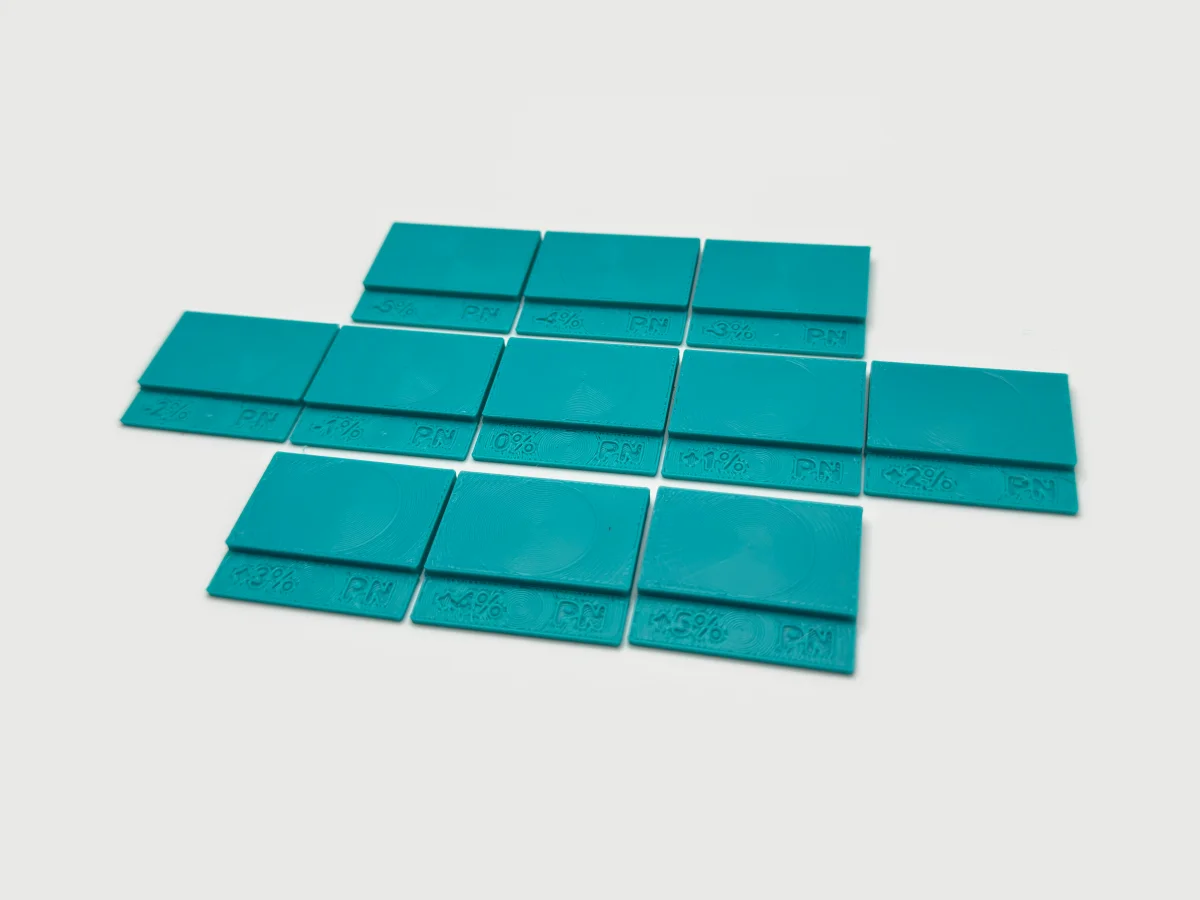
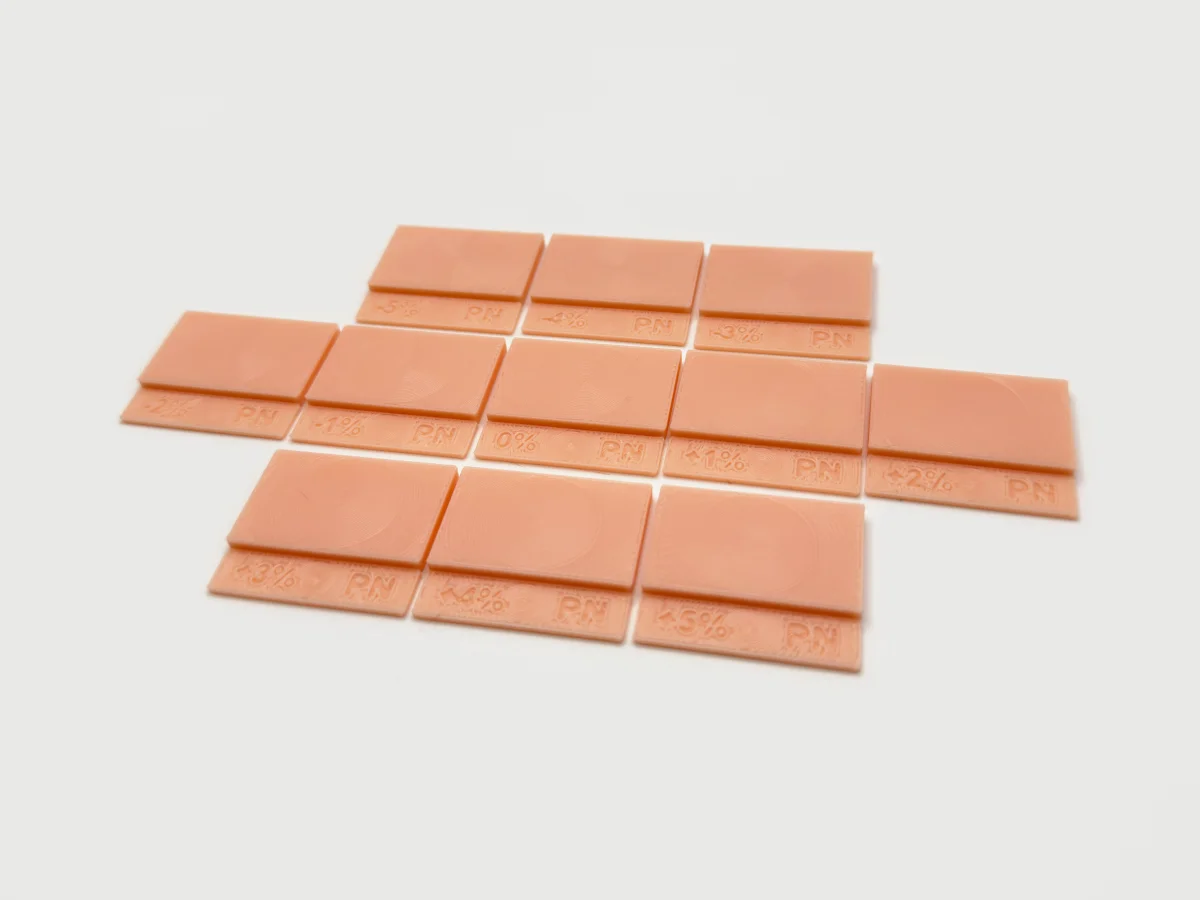
The first lip showed up on the 0% tile, so the best tile was -1%. The lowest tiles showed small gaps between the lines, so you can see the under-extruded side of the test too.
Speed: The Shine Fades Slowly
Both colors print well at more than double the flow limit in Bambu's Generic PETG preset, and going faster costs very little in looks.
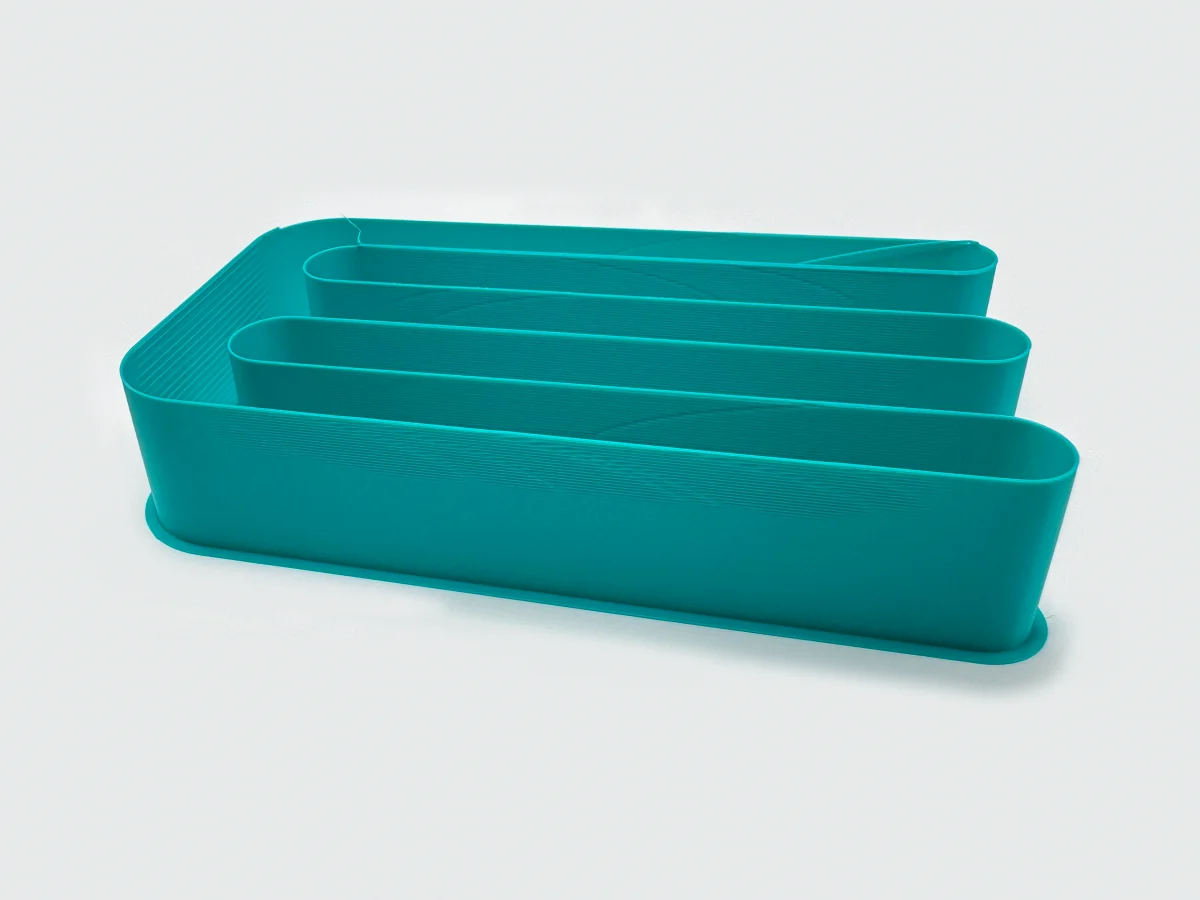
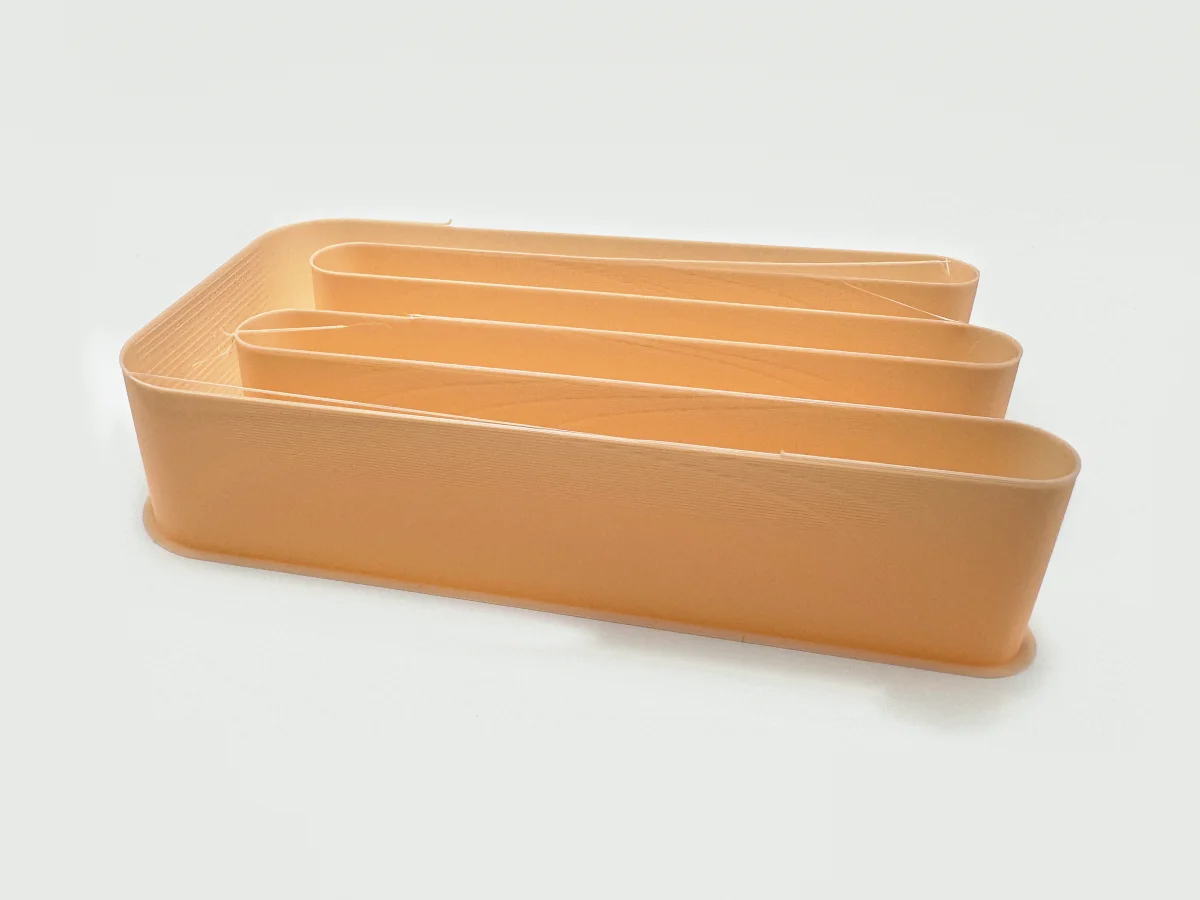
Most slicers limit how fast they print with a setting called max volumetric speed. It is the amount of plastic the hotend melts and pushes out each second, in cubic millimeters (mm³/s), Bambu studio specifically caps the Generic PETG profile at 12 on the P2S. I assume that's just a safe number for most filaments, since the Generic preset is made for any filament that isn't made by Bambu. To find the real limit, I printed Bambu's built-in max flow test, a single-wall tower where the flow goes up by 1 mm³/s for every millimeter of height, from 6 at the bottom to 50 at the top. Then I measured the changes with calipers. The printer slows down in the tower's tight turns, so the numbers below are each layer's average flow.
| Color | Most gloss | Still prints well | Stops printing well |
|---|---|---|---|
| Beige | Up to 16 mm³/s | Up to about 27 mm³/s | About 40 mm³/s |
| Aqua Blue | Up to 13 to 14 mm³/s | Up to about 29 mm³/s | About 38 mm³/s |
PETG 2.0 has no clear bands like the PLA Galaxy I tested. The shine just fades slowly the faster it prints. The first thing that really changes is at about 28 to 30 mm³/s on the straight walls, where the lines get thicker and a diagonal scarring shows up. You can see this scarring in the pictures below.
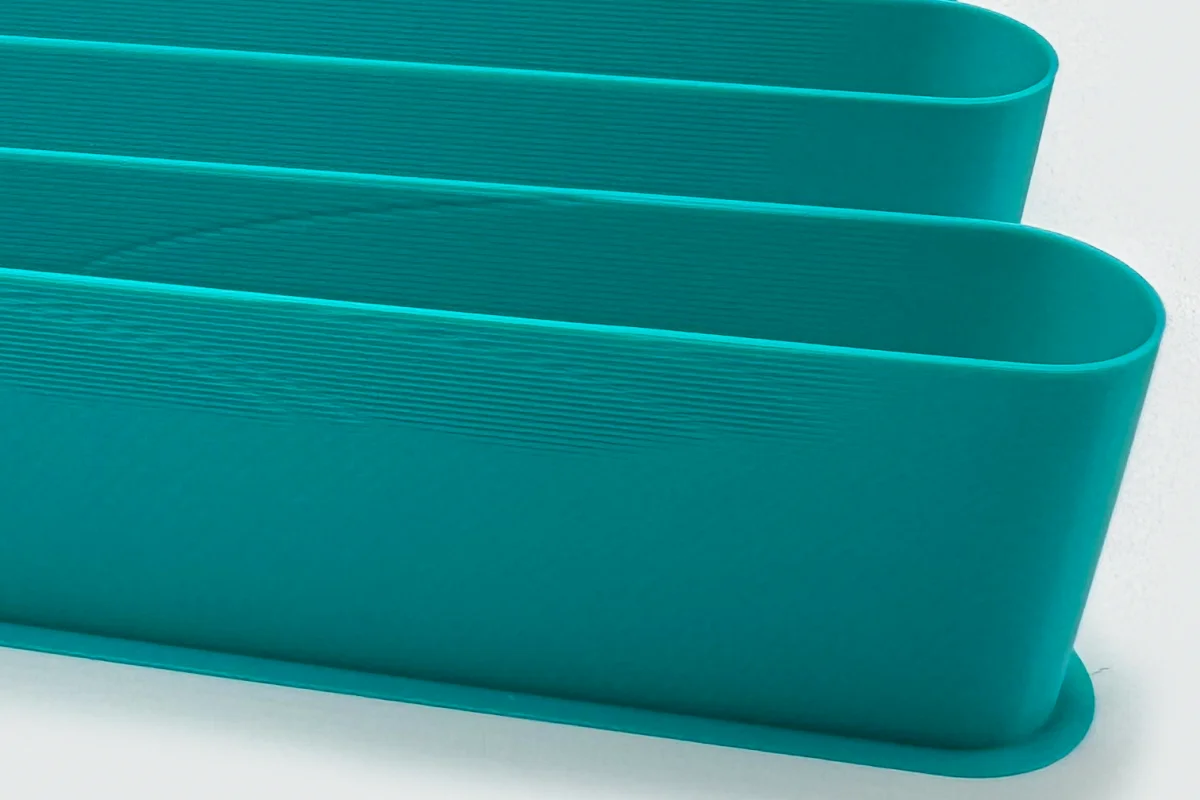
The scarring only shows up on the straight sections however, never on the tight turns. The straights are the only parts of the tower that print at the full flow, so my best guess is that the hotend falls a little behind on each fast straight and catches up in the turn.
So I set max volumetric speed to 27 mm³/s for Beige and 28 for Aqua Blue, just under where the scarring starts.
Raising it won't change the visual look of your prints much. Bambu's stock process prints outer walls at 200 mm/s, which works out to about 15 mm³/s, so going by the towers, the outside of a print should stay slightly closer to the glossy end no matter how high you set the limit. The higher limit mostly speeds up the inner walls and infill you can't see, and small prints barely change, because Bambu slows small layers down so they can cool. Bigger prints are where you'll see the biggest speed gains though, so it may be worth going to the max if you're printing something relatively large.
Ironing: One Clear Winner
On both colors the tile at 30% flow and 55 mm/s was the clear winner, and none of the other tiles looked as good. On Aqua Blue it was a lot easier to pick than on the sparkly PLA, because there is no sparkle to distract you from the surface itself.
Ironing runs the hot nozzle back over the top layer with a tiny bit of plastic to smooth it out. I made my own ironing test for this: 36 tiles that cover ironing flow from 5% to 30% and ironing speed from 15 to 65 mm/s, plus one tile with no ironing to compare against. A second plate tests the line spacing.
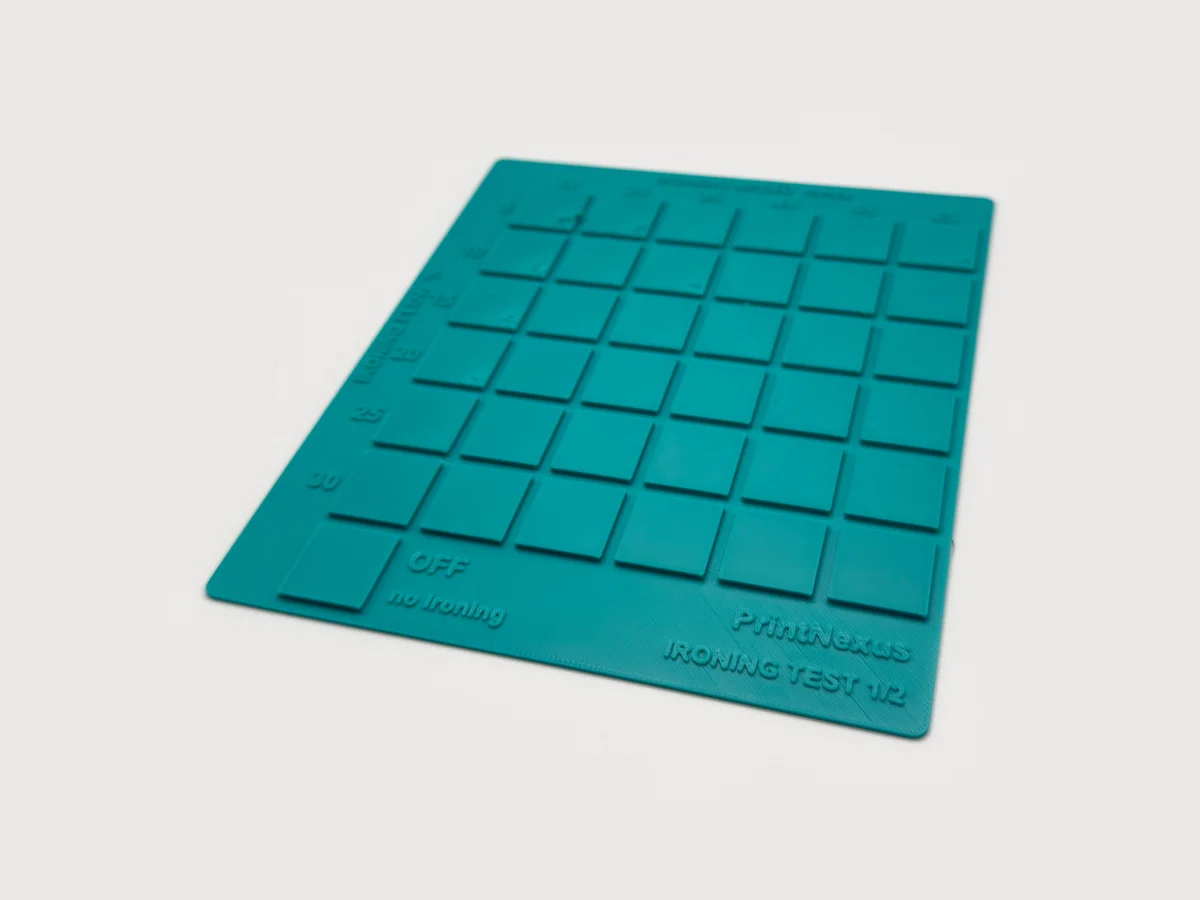
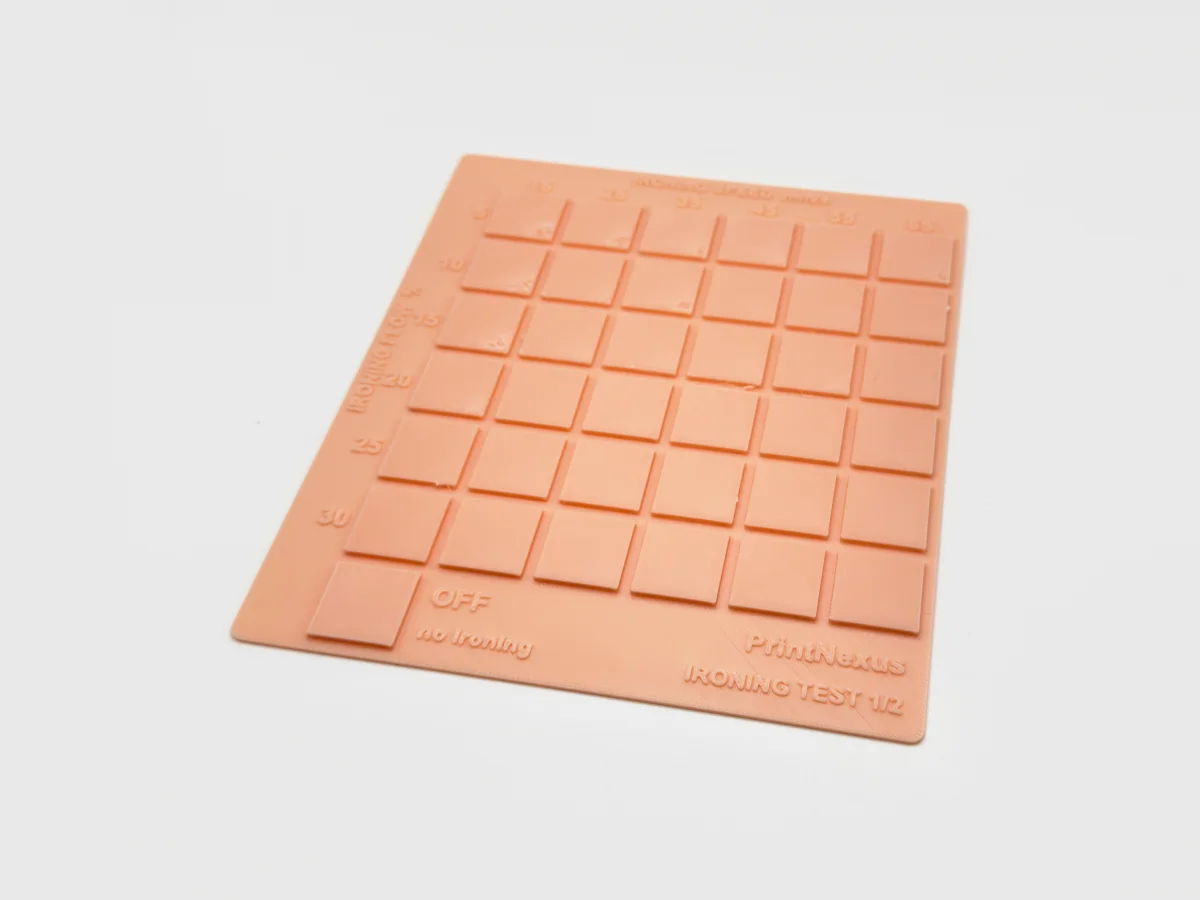
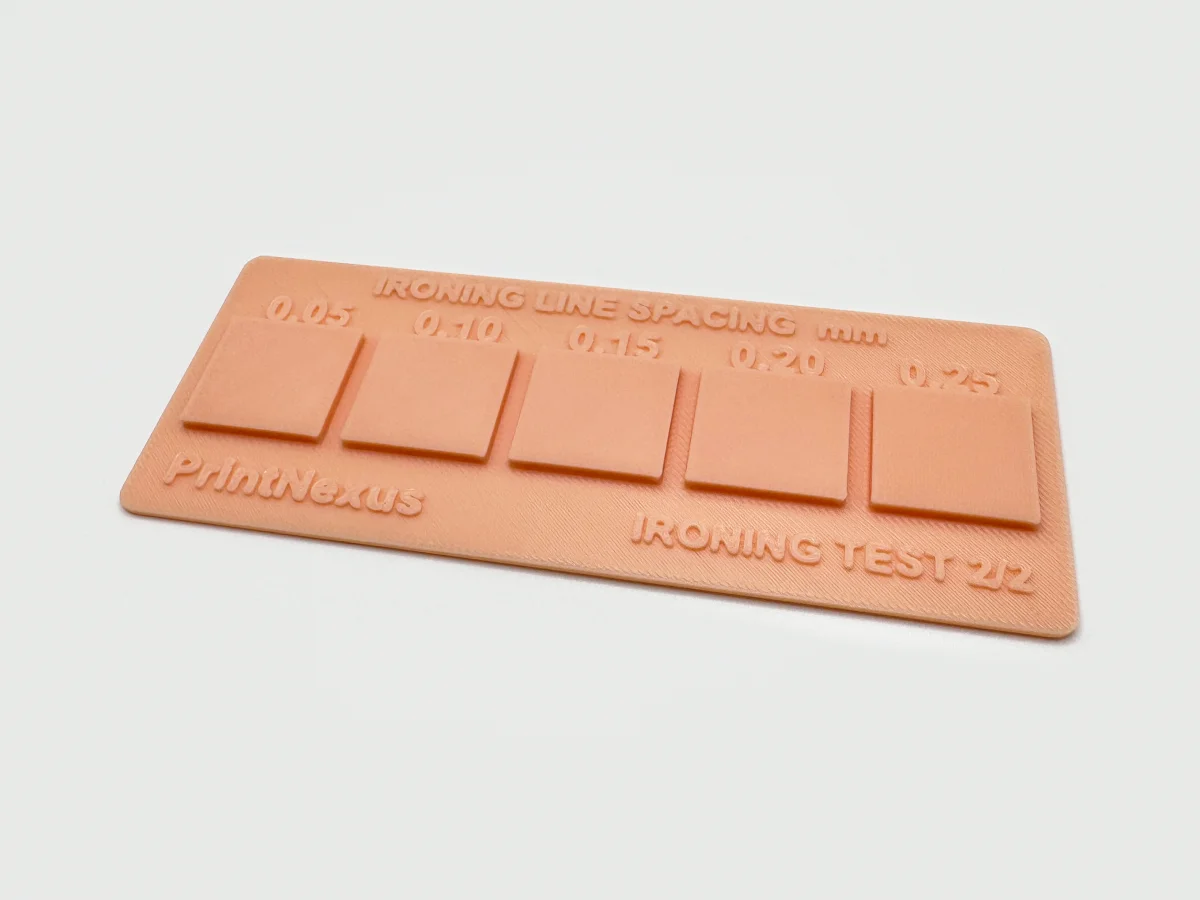
For line spacing, Bambu's default of 0.15 mm was the best on both colors. So for ironing you only need to change two settings from Bambu's defaults: ironing flow from 10% to 30%, and ironing speed from 30 to 55 mm/s. Since 30% was the top of what I tested, a little more flow could be even better. If ironing is the look you want for your top layers, make sure you change the default ironing settings your slicer comes with, since those often come out really bad.
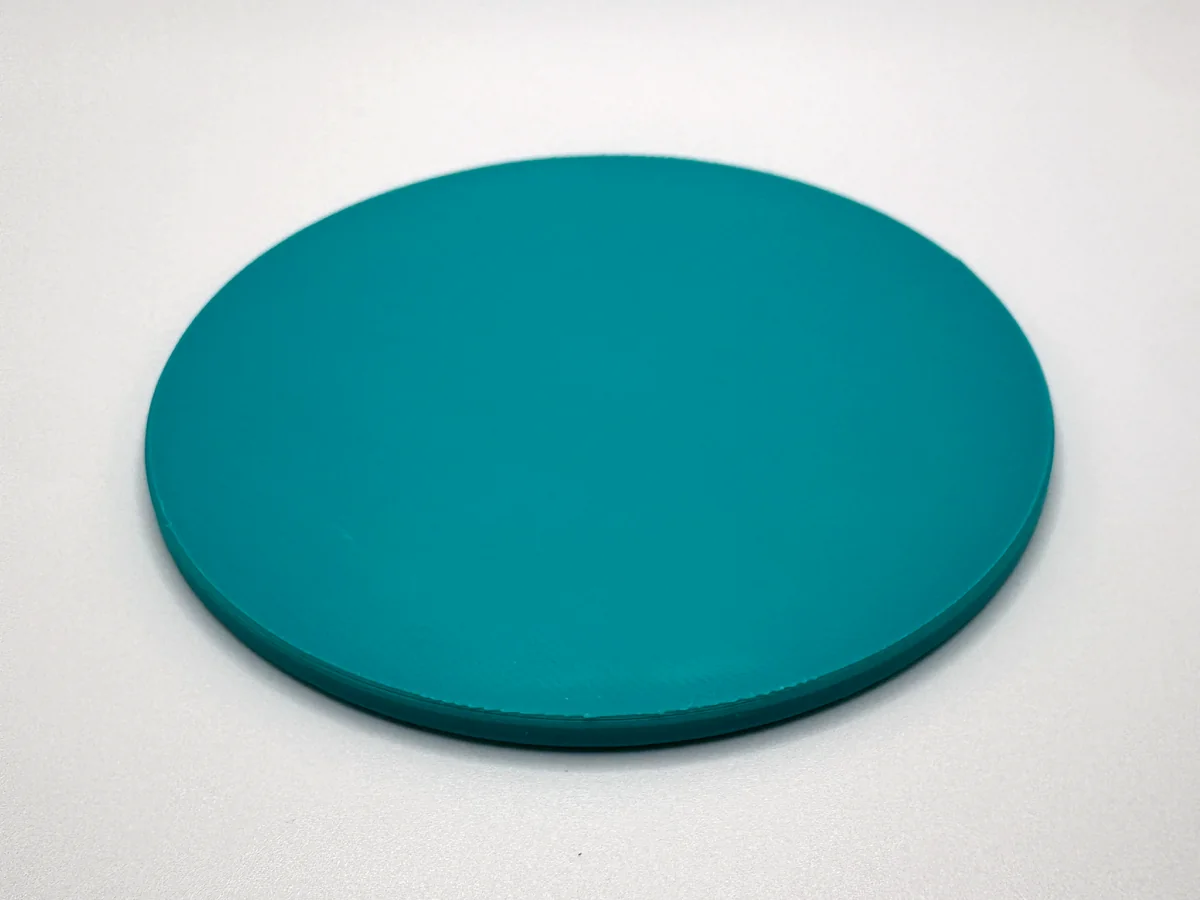
I also ironed a full drink coaster in Aqua Blue at those settings, and it turned out great.
What SUNLU Claims vs What I Saw
SUNLU says PETG 2.0 has less stringing, lower moisture absorption and a refined matte finish. Here is how that lines up with my tests:
- Less stringing: It strung very little. Even at 270 °C there were only light strings, mostly on the edges of the overhangs, and a couple of seconds with a small torch cleans them off very easily.
- Matte finish: SUNLU calls it matte. On my speed test it had a light shine at low speeds and got more and more matte the faster it printed. That shine is very tame though, as you can see in my pictures. Bambu's stock process prints the outer walls slowly enough to keep it, so with stock settings expect that same light shine. Faster outer walls should look more matte.
- Moisture: Moisture resistance appears to be very good. I live in Florida, where it's super humid, and none of my prints came out with the usual moisture problems, even after about a week in my AMS.
Price and Value
On sale, PETG 2.0 costs less than either Bambu PETG, even as a refill. When I checked SUNLU's US store on November 9, 2026, a 1 kg roll was $12.99 on sale, down from $18.99. It comes in 20 colors. At its regular price it costs a little more than Bambu's PETG Basic.
How It Compares
Here is how PETG 2.0 lines up on price with SUNLU's other two PETGs, Bambu Lab's own and a few other brands. This is what each brand charges on its US store, checked on November 9, 2026:
| Filament | Price for one 1 kg roll | Regular price | Free shipping on orders over |
|---|---|---|---|
| SUNLU PETG 2.0 | $12.99 | $18.99 | $40 |
| SUNLU PETG (original) | $10.58 to $12.49 | $18.99 | $40 |
| SUNLU High Speed Matte PETG | $12.79 | $22.99 to $26.54 | $40 |
| Bambu Lab PETG Basic | $16.99 with spool, $13.99 refill | Same | $59 |
| Bambu Lab PETG HF | $18.99 with spool, $15.99 refill | Same | $59 |
| Elegoo PETG Pro | $13.99 | Same | $50 |
| Overture High Speed PETG | $14.99 to $21.99 with spool, $11.69 to $16.99 refill | $22.99 to $26.99 with spool, $17.99 to $21.99 refill | $29.99 |
| Polymaker PETG | $18.99 to $24.99 | Same | All orders right now |
Keep in mind: Bambu says PETG HF is discontinued and won't be restocked once it sells out.
Is SUNLU PETG 2.0 Worth It?
Yes, if you want a PETG that needs little tuning. It only needs small temperature and flow changes from Generic PETG, it strings very little, and it handles a lot more flow than the Generic PETG preset allows, without losing much of its looks.
The one thing I would watch is bridging. If your print has long bridges, check them on a small test first or add supports.
Get it if:
- You want a PETG that needs little tuning.
- You want a higher flow limit than the Generic PETG preset allows.
- You want a PETG with very little stringing.
Skip it if:
- Your prints have a lot of long bridges and you don't want to add supports.
- Your part will sit in full sun all year. ASA holds up better outdoors.
PETG is a good pick for parts that need to be tougher than PLA or handle more heat. If you are not sure which material fits your part, my guide to the best filament for functional parts compares them. I also ran the same tests on two colors of SUNLU PLA Galaxy, and you can read the results in my SUNLU PLA Galaxy review.
Frequently Asked Questions
What are the best settings for SUNLU PETG 2.0?
On my P2S, 250 °C with a flow ratio of 0.94 worked best for both Beige and Aqua Blue. That is 5 °C and 1% under Bambu's Generic PETG defaults. Below 250 °C small pointed details tear off, and from about 255 °C up the walls pick up fine hairs.
| Setting | Beige | Aqua Blue |
|---|---|---|
| Nozzle temperature (first layer and other layers) | 250 °C | 250 °C |
| Flow ratio | 0.94 | 0.94 |
| Max volumetric speed | 27 mm³/s | 28 mm³/s |
| Bed temperature (Textured PEI) | 70 °C | 70 °C |
| Ironing flow (process setting) | 30% | 30% |
| Ironing speed (process setting) | 55 mm/s | 55 mm/s |
| Ironing line spacing (process setting) | 0.15 mm | 0.15 mm |
How fast can I print SUNLU PETG 2.0?
On my P2S both colors printed well up to about 27 to 29 mm³/s, and I use 27 for Beige and 28 for Aqua Blue. The shine fades slowly as you go faster, so you lose very little in looks. Small prints barely change, because Bambu slows small layers down so they can cool.
Does SUNLU PETG 2.0 string?
Very little. Across 230 to 270 °C I only got light strings, mostly on the edges of overhangs, and a small torch cleans them off in a couple of seconds.
Does SUNLU PETG 2.0 work in the Bambu AMS?
Yes. Both rolls fed from the AMS on my P2S for all of my tests, and they come on a plastic spool. The spools obviously don't have a Bambu RFID tag, so the AMS can't tell what's loaded. Just make sure you set the slot's filament and color yourself, and when you send a print, check that each filament is matched to the right slot.
Which Bambu Studio preset should I use for SUNLU PETG 2.0?
Start from Generic PETG and change the settings from my table. Make sure to save yours as a filament preset, so you only have to do it once.
How is SUNLU PETG 2.0 different from SUNLU's original PETG?
I haven't printed the original, so this goes by SUNLU's own pages. SUNLU sells 2.0 as the matte one, and says it absorbs less moisture, strings less, bonds its layers better and has 50% higher impact strength. SUNLU describes the original as having vivid colors with excellent transparency. Both have the same regular price, and on sale the original was a little cheaper when I checked. So far I really like the 2.0 version and if it's a only bit pricier than the regular version I would recommend going for the 2.0 instead.
Do I need to dry SUNLU PETG 2.0?
I didn't. Both rolls came vacuum sealed, and they sat in the AMS for about a week of testing without drying. If a roll starts to string or pop, Bambu's numbers for its own PETG are a good place to start: 65 °C for 8 hours.
Is SUNLU PETG 2.0 food safe?
I wouldn't use it for anything that touches food. SUNLU doesn't say it's food safe on its product page, and any FDM print has tiny gaps between the layers that are hard to clean.
Can I use SUNLU PETG 2.0 outdoors?
SUNLU says it works for outdoor parts, and PETG does handle sun and heat better than PLA. For something that sits in full sun all year, I would still use ASA, since it holds up better to UV.
Where to Buy SUNLU PETG 2.0
If you want a PETG that barely strings and doesn't need much tuning, you can grab a roll from SUNLU's store here. It was $12.99 when I checked on November 9, 2026, and shipping is free on orders over $40, so four rolls gets you free shipping.