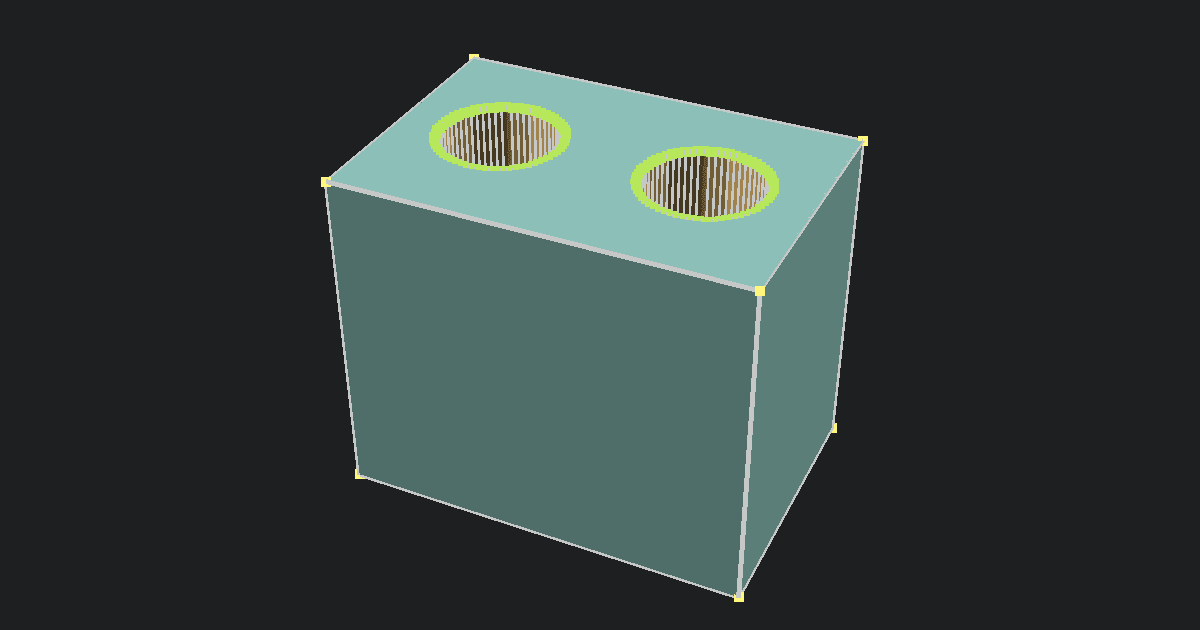
This free STL to STEP converter turns an ASCII or binary STL mesh into a faceted STEP file directly in your browser. The tool keeps your model on your computer, shows a 3D preview, and offers three STEP optimization presets before you download the .step file. It carries the mesh shape into STEP, but it does not rebuild the smooth CAD surfaces or design history that existed before the STL was made.
Why convert STL to STEP?
Converting an STL to STEP is useful when a CAD program or another workflow asks for a STEP file but your only copy of the model is an STL. The faceted STEP can be used as a reference for checking dimensions, placing the part with other CAD models, or rebuilding selected features in a CAD app.
The conversion changes how the mesh is packaged. It does not turn the model back into its original editable CAD design. Holes, fillets, and curves remain made from the flat triangle faces stored in the STL. If you want to inspect the source mesh before converting it, open it in the Free Online STL Viewer.
How to convert STL to STEP online
- Upload an ASCII or binary
.stlfile from your computer. - Check the 3D preview and make sure the shape and size look right.
- If a one-time small-model prompt appears during import, choose Scale to millimeters to multiply meter-based coordinates by 1000, or keep the original size. The prompt disappears after you choose.
- Choose Original, CAD-Friendly, or Compact under STEP Optimization.
- Review the estimated STEP face count, file size, and maximum shape difference.
- Click Convert to apply the selected scale and optimization preset in your browser.
- Download the
.stepfile and open it in your CAD app. - Check the imported size and geometry before using the file for editing or manufacturing.
Your STL is read on your device and is not uploaded to PrintNexus. The output declares millimeters as its unit. STL files do not include a standard unit declaration. When an STL has meter-based coordinates, the tool can multiply them by 1000 before previewing and converting. For example, a 0.100-unit model becomes 100 mm. Other unit differences may still need scaling in your CAD app.
Choose a STEP optimization preset
Original preserves every STL triangle as its own STEP face. Choose it when you want the converter to keep the source mesh structure unchanged.
CAD-Friendly is the recommended preset. It joins neighboring triangles that make the same flat surface. It does not intentionally move the mesh points, and it can greatly reduce the number of STEP faces on mechanical parts with large flat areas.
Compact reduces dense mesh triangles before joining flat surfaces. Any accepted reduction stays within an estimated maximum shape difference of 0.05 mm. If the mesh cannot be reduced safely within that limit, the tool uses the CAD-Friendly result instead.
The estimate box compares the selected preset with Original before conversion. The final face count and file size are shown after conversion. Estimates are calculated locally from your mesh and may take longer for very detailed files.
Common STL-to-STEP problems
The STEP file is very large: A detailed STL can contain hundreds of thousands of triangles. Original mode creates one STEP face for every triangle, so it can produce a large file that opens slowly in CAD software. Try CAD-Friendly first. Compact may help when a curved or scanned mesh still has too many faces.
Curves still look faceted: STL describes a surface with triangles. It does not contain the original circles, cylinders, splines, or other smooth CAD surfaces. Converting the file cannot restore information that is no longer in the STL.
The model imports at the wrong size: The numbers in an STL file do not say whether they represent millimeters, meters, inches, or another unit. If the one-time import prompt appears, choose Scale to millimeters to multiply the coordinates by 1000, like the millimeter correction offered by some slicers. The preview, estimates, and STEP output will all use the corrected size. Choose Keep original when the small dimensions are intentional.
The CAD app rejects or repairs the file: Clean, watertight meshes work best. An STL with holes, overlapping triangles, or non-manifold edges may not form a valid closed body. Some CAD programs may try to repair the result, while others may refuse to open it.
The model is difficult to edit: The STEP output is still a faceted model, even when flat triangles are joined. It does not include sketches, dimensions, constraints, named features, or a design history. For major changes, use the converted file as a reference and rebuild the important shapes in CAD.
STL versus STEP
The Library of Congress description of STL defines it as a triangular mesh that describes the surface of an object. NIST describes STEP as the ISO 10303 format used to exchange product data between CAD, manufacturing, analysis, and inspection software.
- Shape: The STL is a triangle mesh. Original keeps every triangle as a STEP face. CAD-Friendly joins triangles on the same flat surface, while Compact can reduce dense triangles within its 0.05 mm limit.
- Units: The STL has no standard unit declaration. The STEP made by this tool declares millimeters. The optional scale correction multiplies meter-based STL coordinates by 1000 before export.
- Smooth CAD curves: The STL does not store them, so the conversion cannot recreate them.
- Design history and constraints: The STL does not store them, so they are not added to the STEP file.
- Best use: STL works well for mesh viewing, slicing, and 3D printing. This tool's STEP output is intended for CAD workflows that can use a faceted STEP reference.
STEP can hold richer geometry and product information when that data comes from a CAD system. This converter cannot add information that was missing from the STL. Its output contains a faceted representation of the mesh, not a new parametric model.
Are STEP and STP the same?
Yes. .step and .stp are common filename extensions for the same STEP format. Many programs that support STEP accept both .step and .stp, although a file picker may list only one extension. You can check the result in the Online STEP File Viewer. If you need to convert in the opposite direction for 3D printing, use the Free STEP to STL Converter.